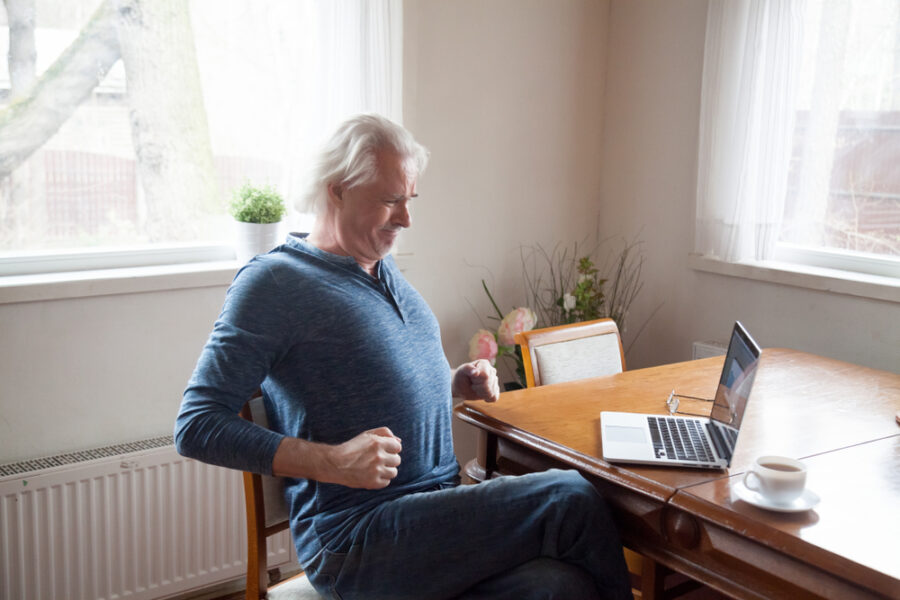
Chairs and desks at home play a key role in our comfort, especially with the rise of remote work and home studies. Yet, many still use a kitchen chair or an improvised desk. Poor setup can cause hip and lower back pain. These discomforts occur when the body stays too long in a poorly adapted seated position. Choosing a home office chair is essential to prevent pain related to prolonged sitting while working.
Why a Good Office Chair Is Essential for Your Hips and Back
Sitting for long periods puts constant pressure on the hips and spine. The gluteal muscles weaken and the pelvis joints stiffen. Without proper lumbar support, the lower back rounds and intervertebral discs undergo more stress. An ergonomic office chair helps maintain a neutral posture, with the pelvis well positioned and the back supported.
Criteria for Properly Choosing a Home Office Chair
When buying a chair, check for:
- Seat height: feet should touch the floor and knees form a 90° angle.
- Seat depth: there should be 2-3 cm between the edge of the chair and the back of the knees.
- Back and hip support: prefer an adjustable backrest with integrated lumbar support.
- Armrests: they should allow elbows to stay close to the body and relaxed.
- Backrest tilt: a slight recline promotes better comfort during breaks.
The Role of a Suitable Desk to Limit Pain
A desk that is too low forces leaning forward, which increases tension in the lower back and hips. Conversely, a desk that is too high causes constant shoulder elevation and neck muscle fatigue. To avoid these discomforts, it is essential to choose a working height that keeps forearms parallel to the floor, wrists relaxed, and gaze aligned with the top of the screen. Adjustable desks, known as sit-stand desks, offer an added benefit: they allow alternating positions throughout the day, reducing muscle fatigue and stimulating blood circulation. They are especially suitable for people who work several hours at a computer, as well as children and teenagers who use their desk for studying or homework.
Ergonomic Tips to Properly Adjust Your Chairs and Desks at Home
Here is a quick ergonomic checklist:
- Adjust the chair before the desk.
- Position the screen at eye level.
- Keep feet flat on the floor or on a footrest.
- Place the keyboard at elbow height.
Quick adjustment in 3 steps:
- Adjust the seat height.
- Position the backrest to support the lumbar curve.
- Raise or lower the desk according to the chosen position.
To discover even more detailed advice on setting up an adapted workstation, consult this article: How to Effectively Adjust Your Workstation
Choosing Your Desk Type According to Its Use
Desk for Children
An adjustable height desk is ideal to follow children’s growth. It allows adapting the working position at each stage of their development. A good children’s desk must offer enough surface for homework, crafts, and laptop use. Adding an ergonomic chair suitable for their size promotes good posture and prevents tension in the back and hips. It is also recommended to set up a well-lit space to limit eye strain. By getting children used to a comfortable workstation from an early age, good postural habits are encouraged that will last a lifetime.
Desk for Teenagers
Teenagers spend a lot of time sitting for studies but also for digital leisure activities. A versatile space is therefore necessary to accommodate their school activities and computer use. A desk with integrated storage helps organize supplies and limit clutter, which promotes concentration. It is preferable to choose a desk that adapts to their size and to check that the screen is at eye level. Using an adjustable and comfortable chair remains essential, as rapid adolescent growth can make muscles and joints more sensitive to poor posture.
Desk for Adults
For adults working remotely or engaged in creative activities, a suitable workstation must combine comfort and functionality. A spacious desk with adjustable height allows varying positions throughout the day. Ergonomics is paramount: the surface must be sufficient to accommodate a computer, documents, and possibly work accessories. Investing in a sit-stand desk is a wise choice to reduce prolonged sitting periods. It helps prevent lower back pain and hip stiffness.
Desk for Shared Use
In families where multiple people use the same workspace, a modular desk is the best option. This type of furniture can be adjusted in height and tailored to each user’s size. It is suitable for both adults and children, making it an economical and practical choice. It is also useful to have personalized accessories, such as footrests or adjustable chairs, so that each family member benefits from optimal comfort. By adapting the workstation to each person, pain risks are limited and better postural habits encouraged.
FAQ: Chairs and Desks at Home – Your Frequently Asked Questions
What is the best chair to avoid hip pain?
An adjustable chair with lumbar support, armrests, and a seat adapted to the user’s size is essential. Ideally, it should allow adjusting the seat height, seat depth, and backrest tilt. Good lumbar support maintains the natural curve of the lower back and reduces pressure on the hips. Armrests help keep shoulders relaxed, limiting neck tension. A seat that is too hard or too soft can also cause discomfort: it is better to choose firm but comfortable padding.
Should I invest in a standing desk?
Yes, especially if you sit more than six hours a day. Adjustable desks allow alternating between sitting and standing positions, which stimulates blood circulation and reduces muscle fatigue. Additionally, standing regularly helps prevent hip and lower back stiffness. For proper use, it is recommended to start with short standing periods, then gradually increase the duration.
What is the best posture for typing on the computer?
Feet should be flat on the floor, knees bent at about 90°, and thighs parallel to the floor. Elbows stay close to the body and bent at an angle of about 90°. The screen should be placed directly in front of you, with the top of the screen at eye level to avoid tilting the head forward. This posture reduces tension on the neck, back, and hips.
What should I do if I already have hip or lower back pain?
It is important to take regular breaks to move, stretch, and walk a few minutes every hour. Gentle exercises, such as stretching the lower back, glutes, and quadriceps, help reduce tension. Applying heat can also provide temporary relief. However, if the pain persists, it is recommended to consult a healthcare professional for an appropriate treatment plan.
Can a chiropractor help me?
Yes, they can assess your posture, detect tension areas, and apply techniques to improve mobility and reduce pain. They will also propose specific exercises and personalized advice to optimize your workstation setup and prevent symptom recurrence.
Investing in Good Chairs and Desks at Home to Prevent Pain
Well-chosen ergonomic furniture genuinely helps prevent pain in the hips and lower back by maintaining balanced posture and reducing joint tension. Investing in an adjustable chair and a suitable desk not only improves comfort but also supports daily productivity and well-being. By taking the time to properly adjust their workspace, everyone can limit stiffness onset and promote better long-term musculoskeletal health. For personalized advice and to discover solutions adapted to your needs, make an appointment with a chiropractor near you at chiroreseau.com.